TECHED ONE / PRACTICE INTO PURPOSE
Verifiable certificates
Recognize learning with evidence you can verify
Check criteria, select recipients and confirm a batch. Reuse the My One registry with QR verification that reflects amendments and revocation.
Reuse One dataTraceable sourcesReview before use
Pilot access · No charges · Outputs use confirmed informationONE / TOOLS T03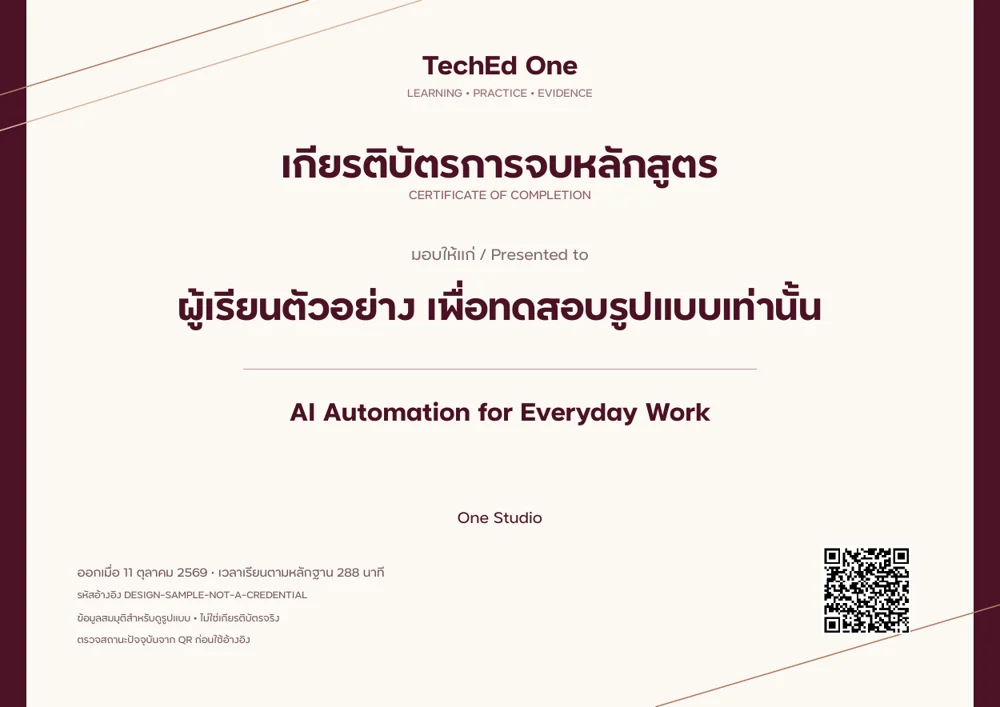 Actual PDF preview · sample information
Actual PDF preview · sample informationOUTPUT / T03Actual document design • illustrative data
DESIGNED FOROrganizers and learning teams
DELIVERABLEPDF
REGISTRY OWNERTechEd One Official
01 / WORK THAT GOES FURTHER
From existing information to useful work
Issue certificates in batches with references and status verification
Completion based on published course criteria
Individual PDFs with references and QR codes
Amendment history and revocation status
A CLOSER LOOK
See the output before you begin
Inspect language, structure and details in the sample PDF. Sample information demonstrates the design only.
Explore the document02 / BUILT ON YOUR INFORMATION
Bring what matters
A One round and its registered participants
Attendance, coursework and published criteria
Recipient names confirmed before issuing
Trust starts with the source
Names, dates, assessment results and financial information require a source. Missing details are not automatically filled in as facts.
03 / A CLEAR WAY FORWARD
A clear next step, every time
- Select information from your existing One workspace
- Review completeness and data permissions
- Preview and confirm before issuing
- Download, reopen an edition or return to edit
04 / ACCESS & ASSURANCE
Know your access before starting
This pilot does not charge money. Existing package benefits are preserved. Personal and organization work is access-checked on every request.
Can I return to unfinished work?
Saved work belongs to your One account and organization. Reopen it and review previous editions.
Is this an official assessment credential?
Tools use authorized information. Official assessment remains in Testing, and financial records stay with the existing finance service.
TechEd One Rewards · Preparing to launch
Explore benefitsLearn. Create. Earn One Points.
Earn points from eligible activities for tool benefits and extra AI credits.