For company approval
Open the course summary, outcomes and preparation to discuss with your manager.
Develop a shared design system, from foundations to components and handoff documentation.
Create reusable UI rules and components in Figma for a sample project.
See outcomes & scopeUI/UX designers with Figma experience who want to organise their work into a system.
You must already use Figma and Auto layout. This course does not start with opening the software.Build a component library for a practical project
Component Audit · Check screen consistency
Foundations and tokens for a sample project
Component library covering key states
Developer handoff guidance
Practise foundations, tokens and components for a sample project. This is not a full product audit or certification of an organisation's deliverables.
You must already use Figma and Auto layout. This course does not start with opening the software.
Unsure about your experience level? Open the sample project to understand the challenge, then check with the provider before choosing a session.
The class focuses on practice and a project brief. Results depend on prior knowledge, participation and practice.
InstructorNot entered ProviderกำลังConfirmDataandรูปจริง
2 learning sections · 2 weeks · 4 meetings
Organise colours, typography, spacing and usage rules.
Use it to record your work and explain how you checked the result.
Build components, test them on screens and receive feedback.
Use it to record your work and explain how you checked the result.
Explore sample tasks and review criteria to see whether they match what you want to develop.
Read the steps and review criteria before enrolling. No email required.
Check travel, personal equipment and any unlisted services with the provider before enrolling.
Online · Taught in Thai · Your time · Bangkok
Allow extra time for preparation and review according to the instructor's brief.
This sample course has no verified learner reviews yet. At launch, reviews will identify the session and remain separate from skill assessments.
You must already use Figma and Auto layout. This course does not start with opening the software. If you are unsure, check the sample work or ask the provider before choosing a session.
Projects and documents follow the course inclusions. Attendance is separate from passing an assessment. This preview does not issue real certificates.
Cancel sample requests from My learning. This preview does not collect or refund money. Before sales open, each course must show approved cancellation, rescheduling and refund terms.
Workshop and exercises · Project feedback · Sample files and summary documents Travel and personal equipment are excluded unless the provider states otherwise.
Select multiple places in a public session or submit an organisation brief. A brief does not confirm a booking or approve a price.
Arrange a private session and define the challenge and outcomes together.
Open the course summary, outcomes and preparation to discuss with your manager.
Choose the number of participants and review the total before sending a request.
Start with your work challenge, group size and preferred dates.
Plan a private sessionNot open yetTravel and personal optional costs are excluded. Any personal discount is confirmed at checkout.
No suitable session? Register interestOutcomes, curriculum, instructors, dates and fees, edited into one course guide.
During review, read and download without registering.Continue with a related topic or discover something new in One.
Drag left or right to loop through recommendations. Use arrow keys to browse or Tab to reach card controls.
Create a user research plan and traceable findings framework.
For Designers, product teams and people who want to understand users before building.
Build a workflow to reduce repetitive work
For People who regularly work with spreadsheets, email or documents.
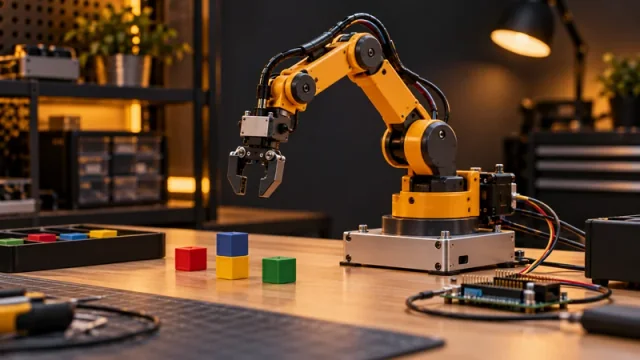
Assemble and test a prototype robotic system
For Students, technicians and people beginning to explore robotics.
Choose a suitable first task to try with AI
For People who want to use AI but are unsure which task to start with.
Product prototype with a test plan
For Food entrepreneurs and product development teams.
A data presentation for executive decisions
For Managers, analysts and people who present data.